Where Private Practices Lose Time Every Day
In a perfect world, most of your day would go to patient care. Instead, many private practice owners find themselves buried in manual scheduling, intake paperwork, insurance follow-up, documentation, and patient communication.
Studies show providers spend roughly a third of their working hours on admin tasks that never involve a patient.
Most of that time spills into after hours, and it adds up faster than most practice owners expect. This guide shows you where you're losing time, which bottlenecks to fix first, and the steps you can take this week to improve efficiency.
What Reclaiming Time for Patient Care Actually Looks Like
Reclaiming time for patient care comes down to reducing how often you have to go back and fix something before it’s done. In most practices, that happens more than it should, which is why so much of your day gets pulled into follow-up work.
When you cut down repeated work, you can move through the day without constantly circling back. It also means you’re not chasing confirmations or finishing notes after hours, which protects your time with patients and keeps your schedule from falling behind.
Start by Finding the 3 Biggest Admin Bottlenecks in Your Practice
Pick one day this week and watch where your team loses time.
- Scheduling. Are you booking, then confirming, then adjusting the same appointment?
- Intake. Are forms incomplete or getting re-entered later?
- Billing. Are claims going out cleanly, or coming back for fixes?
Write down each time your team has to go back to something they already did, like confirming an appointment you already booked or fixing intake at check-in. At the end of the day, see which one shows up most and start there.
Cut Scheduling Time by Automating Appointment Booking and Reminders
Scheduling breaks down in predictable ways. Between booking, confirmations, and last-minute changes, even one appointment can eat up more time than it should.
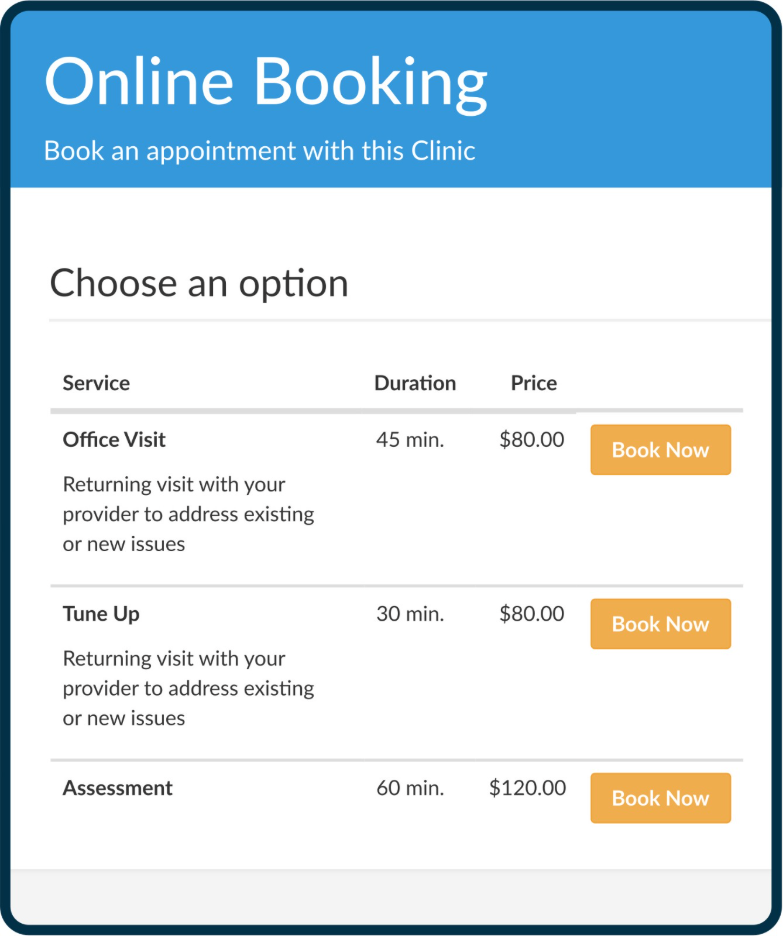
You can cut down confirmation calls and follow-ups by letting patients handle more of the process upfront. Online booking removes the initial call, and automated reminders handle confirmation before your team has to step in. That way, your team doesn’t have to go back and confirm or follow up on the same appointment.
Reduce Intake Work by Moving Forms and Paperwork Online
Intake creates extra work when forms are filled out in the office, scanned, and then entered into your system before the visit can start.
To prevent scanning and manual entry, move intake forms, consent forms, and pre-visit questionnaires online. Patients can complete everything before they arrive, and the information can show up in the patient record ready to go.
As a result, you can reduce time spent on data entry and move patients through check-in faster, which keeps the visit on schedule and gives your team more time to focus on care.

Give Staff Time Back by Centralizing Patient Communication
Patient questions rarely stop at one message. You might answer a question about an appointment, then see the same patient follow up about paperwork or check in again before the visit. When those messages are split across calls, texts, and email, it’s easy to miss part of the conversation or answer the same question twice.
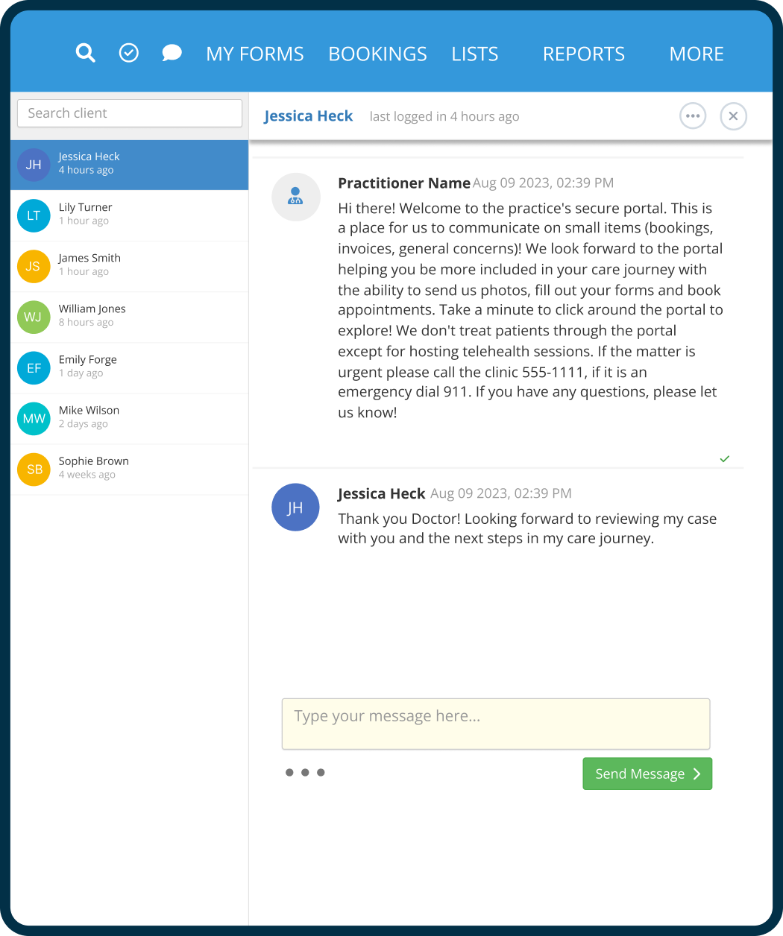
Bringing patient messages into a secure portal keeps each conversation tied to the patient record. You can see the full thread, reuse responses to common questions, and send reminders automatically instead of following up manually. That way, you’re not repeating the same answers.
Speed Up Documentation Without Sacrificing Care Quality
Documentation becomes a time problem when notes don’t get finished in the visit. Once that happens, charting spills into the next patient, lunch, or the end of the day.
A few changes can make note completion easier without cutting corners:
- Use templates for common visit types so you’re not rewriting the same note structure every time.
- Standardize note types across providers so documentation is easier to complete and review.
- Build time into the visit or the minutes right after it so notes get finished while the details are still fresh.
- Use connected systems that pull information into the note automatically instead of making staff enter it twice.

Make Billing and Collections Less Manual
Billing turns into extra work when a claim is denied and has to be corrected before it gets paid. That usually comes down to missing information, disconnected systems, or a step that depends on someone catching it later.
You can prevent billing back-and-forth with a few changes:
- Pull diagnosis and visit details from the completed note instead of re-entering them.
- Check required fields at the point of entry before the claim is created.
- Keep scheduling, documentation, and billing in one system so information stays intact.
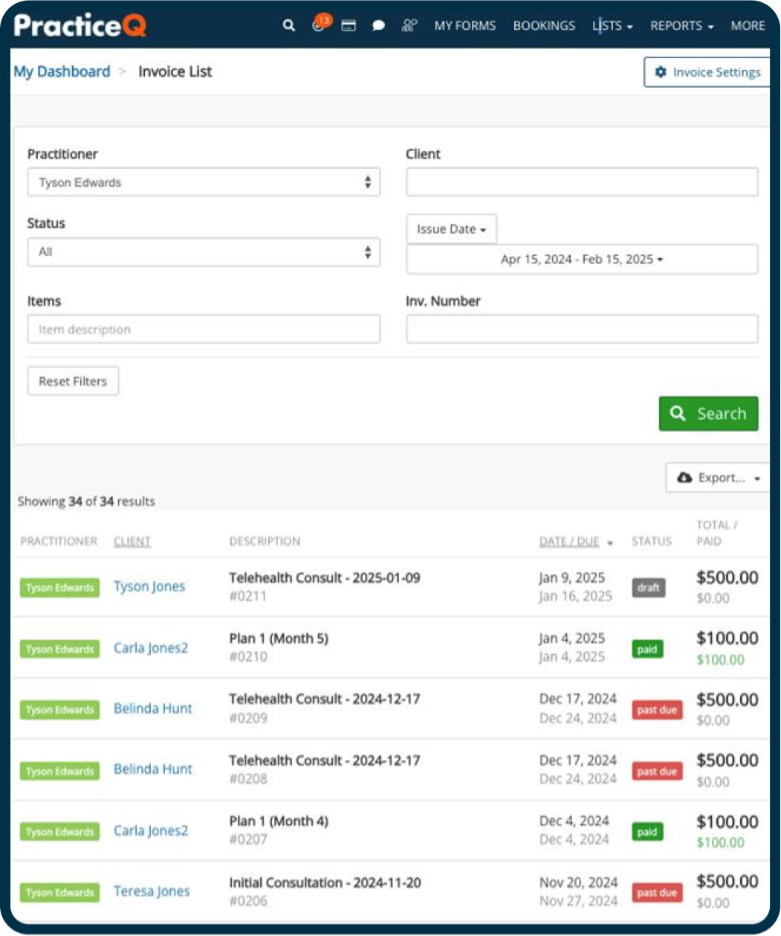
- Let patients pay from a link or reminder instead of following up after the visit.
Standardize the Work That Should Never Be Reinvented
A lot of admin work takes longer than it should because everyone does it slightly differently. To get on the same page, standardize repeatable steps for your daily workflow:
- Intake review. Decide what “complete” means before a visit and use the same checklist every time.
- Appointment follow-up. Set a clear rule for when and how to confirm, and stick to it.
- Eligibility checks. Define when verification happens and what needs to be confirmed before the visit.
- No-show recovery. Create a simple follow-up sequence so patients don’t get dropped.
What to Do in the Next 7 Days to Reclaim Time for Patient Care
Tackle one workflow a day for a week. By day seven, you may already notice a difference.
Day 1. Walk through your day and write down every task your staff touches more than once. Scheduling confirmations, intake paperwork, billing follow-ups. Anything that gets picked back up counts.
Day 2. Pick the one that costs the most time and decide that's the one you're fixing this week. Just one.
Day 3. Move that process online if it's still paper-based. Intake forms and consent forms are the fastest wins.
Day 4. Write templates for the messages your team sends on repeat: appointment confirmations, cancellation policies, pre-visit instructions. If someone is typing it from scratch every time, that's a template waiting to happen.
Day 5. Turn your most repeated task into a checklist your whole team follows the same way. Consistency is the point.
Day 6. Find one place where the same information gets entered twice and cut that step. It exists in every practice.
Day 7. Evaluate changes. Repeat the process if necessary.
How to Choose Tools That Really Save Time
The right tools should reduce how many times your team has to handle the same information to finish a task. Before committing to anything, ask whether it actually simplifies your most common workflows:
- Does a booked appointment automatically carry patient details into intake?
- Does intake feed into documentation without anyone re-entering it?
- Does documentation connect to billing, or does your team have to bridge that gap manually?
- Do patient messages, reminders, and follow-ups live in the same place as everything else?
The right tool answers yes to all four. With PracticeQ, scheduling, intake, documentation, billing, and patient communication live in one place. Information enters once and flows through every step, protecting provider time and keeping the day moving forward.
More Patient Care Time Starts with Fewer Manual Tasks
You don't need a complete overhaul. Focus on the tasks that keep coming back unfinished and start with the one costing you the most time. Once that workflow runs without interruption, the next bottleneck becomes easier to spot and faster to solve.
No matter how small, every improvement is a big win for your practice—and the patients who depend on it.
Better practice efficiency starts with the right tools. Start your free trial of PracticeQ and see how scheduling, intake, documentation, and billing work better together.
FAQs
White, B. (n.d.). How much scheduled “admin time” vs. patient-facing time do primary care physicians need? American Academy of Family Physicians. https://www.aafp.org/pubs/fpm/blogs/inpractice/entry/scheduling-admin-time.html