
Your practice already knows which questionnaires and consent forms it needs. The hard part is finding time to build them.
Creating a form from scratch can take hours. Rebuilding a PDF or Word document field by field adds another project to an already full day, while sending it out for manual conversion can delay the workflow for days.
PracticeQ AI Forms gives your team a faster starting point. Describe the form you need or upload an existing document, then review and edit the generated draft before publishing it to My Forms. The feature stays inside PracticeQ, so you can move from source document to patient-ready workflow without adding another tool or handoff.
Why Form Creation Becomes a Workflow Bottleneck
Forms support intake, screening, consent, assessments, and follow-up. But creating them often sits outside the care workflow. An office manager may need to retype questions, rebuild sections, choose response types, and format the layout before the form is ready to use.
That work can delay onboarding, slow a system migration, or turn a simple update into a separate project. A practice moving from paper intake, for example, may already have a multi-page consent packet in PDF or Word. Instead of rebuilding every field manually, the team can upload the document, review the generated structure, correct anything that needs attention, and publish the finished form in PracticeQ.
PracticeQ AI Forms is a new way to create drafts within PracticeQ's existing online forms workflow. It reduces the setup work so your team can reach a usable digital workflow sooner.
How PracticeQ AI Forms Works
AI Forms adds two faster starting points while keeping the existing manual form builder available. Every path leads to an editable draft that your team controls.
1. Describe the Form You Need
Answer a few guided prompts about your specialty and the type of questionnaire or consent form you want to create. PracticeQ uses those selections to generate a structured draft with relevant sections, questions, response types, consent language, and signature placeholders when appropriate.
2. Upload What You Already Have
Upload a supported PDF, Word document, or RTF file instead of rebuilding it from the beginning. AI Forms extracts the document's sections and questions and converts them into an editable digital draft. For scanned documents, the preview helps your team verify what was captured before moving forward.
3. Review, Edit, and Publish
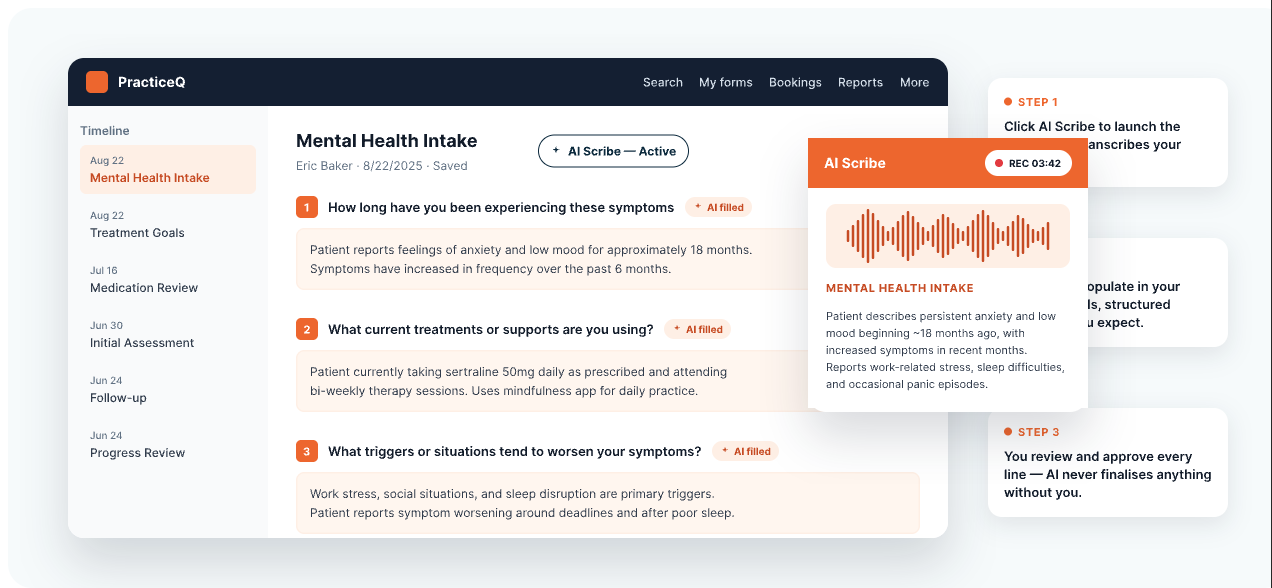
AI-generated content is a starting point, not a locked final version. Rename sections, edit questions, change question types, adjust formatting, reorder content, configure rules, and refine the layout with PracticeQ's existing editing tools. When the form is ready, publish it directly to My Forms.
What AI Forms Means for Your Practice
Faster Onboarding and Migration
New practices can prepare intake questionnaires, assessments, and consent forms without making form setup the critical path to opening. Practices moving from another system can bring familiar documents into PracticeQ without rebuilding every item manually.
Less Manual Form-Building Work
Office managers and staff can spend less time recreating documents, formatting fields, and working through a backlog of form requests. When a provider needs a new screening questionnaire or consent form, the team can create a draft in minutes, make the necessary changes, and publish it sooner.
A Connected PracticeQ Workflow
AI Forms is built into PracticeQ, so form creation stays connected to the broader intake and practice management workflow. Your team can move from form setup to patient use without adding a standalone tool, separate conversion service, or another handoff.
For more ways to reduce repetitive work across the day, read How Custom Workflows Save Providers Hours Each Week.
AI Supports the Draft While Your Team Makes the Decisions
AI Forms creates the starting point. Your team reviews the wording, fields, structure, and formatting before anything is published. If the draft misses something or captures part of the source document incorrectly, you can make changes with PracticeQ's existing form tools.
That review is especially important when converting an existing document. AI can reduce the work of rebuilding the form, while your team remains responsible for the final content and patient-facing workflow.
Spend Less Time Building Forms
PracticeQ AI Forms helps your team turn an idea or existing document into an editable form draft in minutes. Review the content, make any needed changes, and publish it to My Forms without sending the work through a separate conversion process.
Already using PracticeQ? Try AI Forms with your next questionnaire or consent form. New to PracticeQ? Schedule a demo to see how it fits into your intake workflow.